D-PVM-OE-01 Exam Questions & Answers
Dell PowerMax Operate v.2 • Dell EMC
100% money-back guarantee
Sample D-PVM-OE-01 Questions
Practice with real exam-style questions, each with the verified correct answer and explanation.
What are two characteristics of a SnapVX Clone?
Step by Step Comprehensive Detailed
SnapVX Clones: SnapVX clones are full, writable copies of a source volume created using the SnapVX snapshot technology. They are independent volumes that can be used for various purposes, such as testing, development, or data analysis.
Secure Snapshots: SnapVX offers the capability to create 'secure snapshots.' When a clone is derived from a secure snapshot, it inherits the same protection, making it immutable and preventing any modifications or deletion. This ensures data integrity and protection against accidental or malicious changes.
Crash Consistent: SnapVX clones can be made crash consistent. This means that the clone captures a point-in-time copy of the source volume that is consistent with a database or application crash. This is important for ensuring data integrity and recoverability in situations where the source volume experiences an unexpected outage.
Why other options are incorrect:
A . Maximum 1024 snaps per volume: This limit applies to the source volume, not the clones themselves. Each clone is an independent volume.
C . Restores directly to the source volume: Clones are independent copies and do not directly restore to the source volume. Data can be copied or moved from the clone to the source if needed.
D . Is Read-only: SnapVX clones are fully writable copies, not read-only.
Reference and documents of Dell's public documentation for PowerMax Operate v.2:
Dell Solutions Enabler 10.0.0 TimeFinder SnapVX CLI User Guide: This guide provides detailed information about SnapVX features and commands, including how to create and manage clones. It confirms the ability to create secure clones and the option to make them crash consistent.
Dell PowerMax Family: Essentials and Best Practices Guide: This guide offers a comprehensive overview of PowerMax technologies, including SnapVX. It highlights the benefits of SnapVX clones for various use cases.
SIMULATION
The web application server web_host_1 is deprecated. Remove all resources associated with the host to clean up the environment.
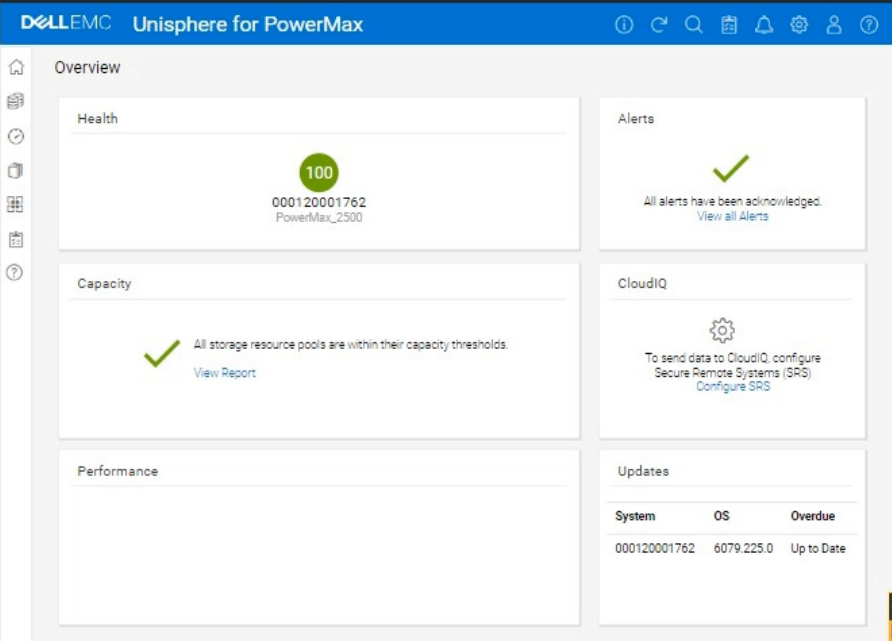
Using the simulator, complete the task.
We need to remove all resources associated with a deprecated web application server named web_host_1 in the Unisphere for PowerMax simulator.
Here's a step-by-step guide on how to accomplish this, based on typical Unisphere functionality and the context of the question:
Steps:
1. Launch the Simulator and Navigate to the Hosts Section
Open Unisphere for PowerMax in your web browser.
Log in to the simulator.
In the left-hand navigation pane, click on Hosts > Hosts. This will take you to the Hosts management view.
2. Locate the Host web_host_1
In the Hosts view, you'll see a list of all configured hosts.
Find the host named web_host_1. You might need to use the search or filtering options if there are many hosts listed.
3. Identify Associated Resources
Before deleting the host, it's crucial to identify all resources associated with it. These typically include:
Masking Views: These define the LUNs that a host can access.
Storage Groups: These contain the volumes presented to the host.
Port Groups: These define the connectivity paths (ports) used by the host.
How to Find Associated Resources:
Click on the web_host_1 host entry. This should open a details view or properties page for the host.
Look for tabs or sections labeled 'Masking Views,' 'Storage Groups,' or similar.
Note down the names of any masking views and storage groups associated with web_host_1.
4. Remove the Host from Masking Views
Navigate to Hosts > Masking Views.
Locate the masking views that you identified in Step 3 as being associated with web_host_1.
Open each masking view's properties.
Remove the Host: There should be an option to edit the host list within the masking view. Find web_host_1 in the list of hosts and remove it.
Save Changes: Save the changes to the masking view.
Repeat for all masking views associated with web_host_1.
5. Delete or Modify Storage Groups
Navigate to Storage > Storage Groups.
Locate the storage groups that were associated with web_host_1.
Two Options:
If the storage group is ONLY used by web_host_1: You can delete the entire storage group. Select the storage group and click the Delete button (or a similar option).
If the storage group is shared with other hosts: You need to remove the volumes associated with web_host_1 from the storage group.
Open the storage group's properties.
Go to the 'Volumes' tab.
Identify the volumes that were presented to web_host_1.
Select those volumes and choose the option to 'Remove from Storage Group' or a similarly worded option.
Save the changes to the storage group.
6. Delete the Host
Go back to Hosts > Hosts.
Select web_host_1.
Click the Delete button (or a similar option, like a trashcan icon).
Confirm that you want to delete the host.
7. Verify Removal (Optional)
After deleting the host and modifying the storage groups and masking views, you can verify that the resources have been properly cleaned up.
Check the Storage Groups and Masking Views sections again to ensure that web_host_1 is no longer listed and that the storage groups have been either deleted or modified as intended.
A TimeFinder SnapVX snapshot of a Storage Group was created with a time-to-live setting of seven days Fourteen days after snapshot creation, a query shows that the snapshot still exists
What is a possible reason for this issue?
Step by Step Comprehensive Detailed
TimeFinder SnapVX snapshots in PowerMax can be configured with a time-to-live (TTL) setting. This setting automatically deletes the snapshot after the specified time period has elapsed. However, there are certain situations where a snapshot might persist beyond its TTL:
Linked Targets: If a snapshot has one or more linked targets associated with it, the snapshot will not be automatically deleted even if the TTL expires. This is because the linked targets depend on the snapshot for their data. The snapshot will remain available until all linked targets are deleted or unlinked.
Why other options are incorrect:
B . Snapshot was not manually terminated: The TTL setting is designed to automatically delete the snapshot; manual termination is not required.
C . Snapshot was created in NoCopy mode: The NoCopy mode affects how the snapshot is initially created, not its TTL behavior.
D . Reserved Capacity limit was exceeded: The Reserved Capacity limit applies to the overall storage space used by snapshots, not the TTL of individual snapshots.
Reference and documents of Dell's public documentation for PowerMax Operate v.2:
Dell Solutions Enabler 10.0.0 TimeFinder SnapVX CLI User Guide: This guide provides detailed information about SnapVX features and functionalities, including the time-to-live setting and how it interacts with linked targets. You can find this document on the Dell Support website by searching for 'Solutions Enabler TimeFinder SnapVX CLI User Guide.'
What does the symsan command do when scanning the SAN environment for devices to use in an O-MDM session?
Step by Step Comprehensive Detailed
The symsan command in Solutions Enabler is used for various SAN (Storage Area Network) management tasks. One of its functions is to scan the SAN environment to discover and verify the configuration of devices and paths.
When used in the context of an Open Replicator Migrator for Dell EMC (O-MDM) session, the symsan command specifically:
Verifies SAN Configuration: It checks the connectivity and configuration of the SAN fabric to ensure that the source and target devices are accessible and properly configured for the migration.
Non-Disruptive: It performs this verification without disrupting any applications or host I/O operations on the remote host. This is crucial for maintaining business continuity during the migration planning phase.
Why other options are incorrect:
A . Temporarily stops the remote application to verify the SAN configuration: symsan does not stop applications; it performs a non-disruptive scan.
B . Verifies the SAN configuration and creates an ORS session on the remote host: symsan only verifies the SAN; it doesn't create ORS (Open Replicator Solutions) sessions.
D . Temporarily stops the remote application and creates an ORS session: Again, symsan doesn't stop applications or create ORS sessions.
Reference and documents of Dell's public documentation for PowerMax Operate v.2:
Dell Solutions Enabler 10.0.0 CLI User Guide: This guide provides detailed information about the symsan command and its various options, including its use for SAN discovery and verification. You can find this document on the Dell Support website by searching for 'Solutions Enabler CLI User Guide.'
Dell PowerMax Family: Essentials and Best Practices Guide: This guide may offer general information about SAN management and migration tools, providing context for understanding the role of the symsan command.
What input is required when registering an ESXi server in Unisphere for PowerMax?
Step by Step Comprehensive Detailed
To register an ESXi server in Unisphere for PowerMax, you need to provide the following information:
IP Address: The IP address of the ESXi server that you want to manage. This allows Unisphere to communicate with the ESXi host.
ESXi Server Credentials: The username and password of an account with sufficient privileges to access and manage the ESXi server. This ensures that Unisphere has the necessary permissions to perform storage-related operations on the ESXi host.
Why other options are incorrect:
A . Unisphere credentials and hostname: Unisphere credentials are used to log in to Unisphere itself, not to register an ESXi server.
B . IP address and hostname: While the hostname might be helpful, the ESXi server credentials are essential for authentication and authorization.
D . ESXi server credentials and Unisphere credentials: Unisphere credentials are not required for registering an ESXi server.
Reference and documents of Dell's public documentation for PowerMax Operate v.2:
Dell PowerMax and VMware vSphere Configuration Guide: This guide provides detailed instructions on how to register and manage ESXi servers in Unisphere for PowerMax. You can find this document on the Dell Support website by searching for 'PowerMax and VMware vSphere Configuration Guide.'
Dell Unisphere for PowerMax 10.0.0 Online Help: The online help for Unisphere might also provide guidance on registering ESXi servers.
Get access to all 49 verified questions with detailed answers.
Unlock All D-PVM-OE-01 Questions