C_C4H56_2411 Exam Questions & Answers
SAP Certified Associate - Implementation Consultant - SAP Service Cloud Version 2 • SAP
100% money-back guarantee
Sample C_C4H56_2411 Questions
Practice with real exam-style questions, each with the verified correct answer and explanation.
Which element can you use in autoflows?
Which of the following actions do you need to grant access to the relevant service objects? Note: There are 2 correct answers to this question.
To grant access to service objects (e.g., cases) in SAP Service Cloud V2, administrators must assign a business role to a user to define their permissions for accessing specific objects. Similarly, assigning a business role to an employee ensures the employee has the necessary access rights linked to their user account. According to SAP documentation, 'Access to service objects is granted by assigning business roles to users or employees.'
Assigning a business role to a service organization (B) is not a standard action, as roles are assigned to individuals. Setting up the case designer with the assignment step employee (D) is for case routing, not object access.
SAP Help Portal: Business Role Assignment in SAP Service Cloud V2
SAP Learning: Access Management for Service Objects
Where are employee working hours maintained?
Employee working hours in SAP Service Cloud V2 are maintained in the Employee data. This includes details such as working hours, time zones, and availability, which are used for scheduling and case routing. According to SAP documentation, 'Under the Operating Hours, you can define the working hours of the service agent' within the employee data settings.
Holiday calendar (A) defines non-working days, not individual hours. Business role (B) manages access rights, not working hours. Business user data (D) includes user credentials but not working hour details.
SAP Community: Service Level Agreement in SAP Cloud for Customer community.sap.com
SAP Help Portal: Employee Data Configuration
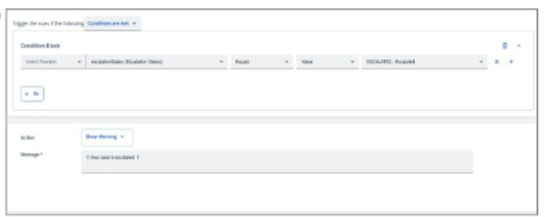
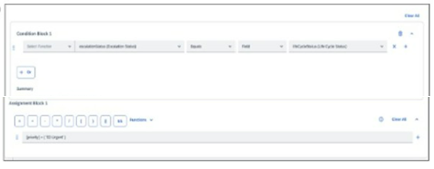
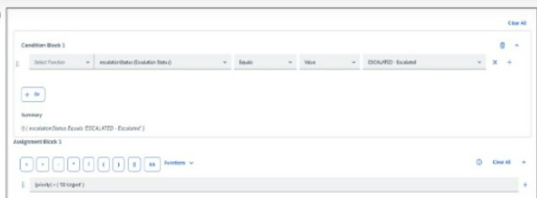
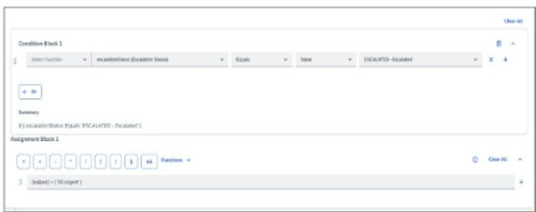
Which of the following options are correct to display warning messages for escalated cases? Note: Scroll down to view all possible answer options.
A)
B)
C)
D)
When using autoflow rules, which of the following do you need to consider? Note: There are 3 correct answers to this question.
When using autoflow rules in SAP Service Cloud V2, administrators must consider that conditions can be based on standard fields (e.g., case type, priority) to trigger automated actions. Too many rules can affect system performance, as excessive rules increase processing time. Additionally, conditions can be based on extension fields, allowing customization to meet specific business needs. According to SAP documentation, 'Autoflow rules support conditions based on standard and extension fields, but administrators should monitor rule volume to avoid performance issues.'
Optimization from the back end (C) is not automatic for autoflow rules. Assigning autoflow rules to business roles (E) is not required, as rules are system-wide.
SAP Help Portal: Autoflow Configuration in SAP Service Cloud V2
SAP Community: Best Practices for Autoflow Rules
Get access to all 80 verified questions with detailed answers.
Unlock All C_C4H56_2411 Questions