CKAD Exam Questions & Answers
Certified Kubernetes Application Developer • Linux Foundation
100% money-back guarantee
Sample CKAD Questions
Practice with real exam-style questions, each with the verified correct answer and explanation.
SIMULATION
Context
Your application's namespace requires a specific service account to be used.
Task
Update the app-a deployment in the production namespace to run as the restrictedservice service account. The service account has already been created.
Solution:

SIMULATION
Context
You are asked to scale an existing application and expose it within your infrastructure.
First, update the Deployment nginx-deployment in the prod
namespace :
. to run 2 replicas of the Pod
. add the following label to the Pod :
role: webFrontEnd
Next, create a NodePort Service named rover in the prod namespace exposing the nginx-deployment Deployment 's Pods
Below is an exam-style, step-by-step solution (commands + verification). Follow exactly on host ckad000.
0) Connect to the right host
ssh ckad000
(Optional but good sanity check)
kubectl config current-context
kubectl get ns
1) Inspect the existing Deployment (to know its labels/ports)
kubectl -n prod get deploy nginx-deployment
kubectl -n prod get deploy nginx-deployment -o wide
Check what labels the Pod template already has (important for the Service selector):
kubectl -n prod get deploy nginx-deployment -o jsonpath='{.spec.template.metadata.labels}{'\n'}'
Check container ports (so we expose the correct targetPort):
kubectl -n prod get deploy nginx-deployment -o jsonpath='{.spec.template.spec.containers[0].ports}{'\n'}'
If ports output is empty, it's still often nginx on 80, but the safest is to confirm by describing a pod later.
2) Update Deployment to 2 replicas
Fastest:
kubectl -n prod scale deploy nginx-deployment --replicas=2
Verify:
kubectl -n prod get deploy nginx-deployment
3) Add label role=webFrontEnd to the Pod (Pod template label)
You must add it under:
spec.template.metadata.labels
Use a patch (quick + safe):
kubectl -n prod patch deploy nginx-deployment \
-p '{'spec':{'template':{'metadata':{'labels':{'role':'webFrontEnd'}}}}}'
Verify the Deployment template now includes it:
kubectl -n prod get deploy nginx-deployment -o jsonpath='{.spec.template.metadata.labels}{'\n'}'
Now verify the running Pods have the label (important!):
kubectl -n prod get pods --show-labels
If the label doesn't show on pods immediately, wait for rollout:
kubectl -n prod rollout status deploy nginx-deployment
kubectl -n prod get pods --show-labels
4) Create a NodePort Service rover exposing the Deployment's Pods
4.1 Get a reliable target port
Try to read containerPort:
kubectl -n prod get deploy nginx-deployment -o jsonpath='{.spec.template.spec.containers[0].ports[0].containerPort}{'\n'}'
If this prints a number (commonly 80), use it as --target-port.
If it prints nothing/empty, check a pod:
POD=$(kubectl -n prod get pod -l role=webFrontEnd -o jsonpath='{.items[0].metadata.name}')
kubectl -n prod describe pod '$POD' | sed -n '/Containers:/,/Conditions:/p' | sed -n '/Ports:/,/Environment:/p'
Assuming nginx is on 80 (most common), create the service:
kubectl -n prod expose deploy nginx-deployment \
--name=rover \
--type=NodePort \
--port=80 \
--target-port=80
If your nginx container port is different (e.g., 8080), change --target-port=8080 accordingly.
5) Verify Service + endpoints (critical)
kubectl -n prod get svc rover -o wide
kubectl -n prod describe svc rover
kubectl -n prod get endpoints rover -o wide
You should see 2 endpoints (matching 2 pods).
Also confirm the pods are Ready:
kubectl -n prod get pods -l role=webFrontEnd -o wide
Quick ''CKAD checkpoints''
Deployment in prod has replicas=2
Pod template has label role=webFrontEnd
Service rover in prod is NodePort
Service endpoints point to the nginx pods
SIMULATION
Context
As a Kubernetes application developer you will often find yourself needing to update a running application.
Task
Please complete the following:
* Update the app deployment in the kdpd00202 namespace with a maxSurge of 5% and a maxUnavailable of 2%
* Perform a rolling update of the web1 deployment, changing the Ifccncf/ngmx image version to 1.13
* Roll back the app deployment to the previous version
Solution:


SIMULATION
Context
A project that you are working on has a requirement for persistent data to be available.
Task
To facilitate this, perform the following tasks:
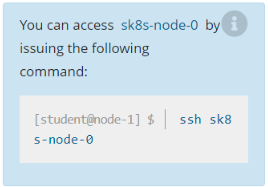
* Create a file on node sk8s-node-0 at /opt/KDSP00101/data/index.html with the content Acct=Finance
* Create a PersistentVolume named task-pv-volume using hostPath and allocate 1Gi to it, specifying that the volume is at /opt/KDSP00101/data on the cluster's node. The configuration should specify the access mode of ReadWriteOnce . It should define the StorageClass name exam for the PersistentVolume , which will be used to bind PersistentVolumeClaim requests to this PersistenetVolume.
* Create a PefsissentVolumeClaim named task-pv-claim that requests a volume of at least 100Mi and specifies an access mode of ReadWriteOnce
* Create a pod that uses the PersistentVolmeClaim as a volume with a label app: my-storage-app mounting the resulting volume to a mountPath /usr/share/nginx/html inside the pod
Solution:


SIMULATION
Context
You are asked to deploy an application developed for an older version of Kubernetes on a cluster running a recent version of Kubernetes .
You must connect to the correct host . Failure to do so may result in a zero score.
[candidate@base] $ ssh ckad00026
Task
Fix any API -deprecation issues in the manitest file
/home/candidate/credible-mite/web.yaml
so that the application can be deployed on cluster ckad00026.
The application was developed for Kubernetes v1.15.
The cluster ckad00026 runs Kubernetes 1.29+.
Deploy the application specified in the updated manifest file
/home/candidate/credible-mite/web.yaml in namespace garfish .
ssh ckad00026
Your job is to edit /home/candidate/credible-mite/web.yaml so it uses APIs supported on Kubernetes 1.29+, then deploy it into namespace garfish.
Because I can't see your file from here, the most reliable exam approach is:
run a server-side dry-run to reveal the exact deprecated/removed APIs and schema errors
edit the manifest to the modern API versions/fields
re-run dry-run until it passes
apply for real and verify rollout
1) Go to the manifest and run a server-side dry-run
cd /home/candidate/credible-mite
ls -l
sed -n '1,200p' web.yaml
Make sure the namespace exists:
kubectl get ns garfish || kubectl create ns garfish
Now run a server-side dry-run (this catches removed APIs on the cluster):
kubectl apply -n garfish -f web.yaml --dry-run=server
Whatever errors you get here tell you exactly what to fix.
2) Fix the common v1.15 v1.29 API deprecations
Edit the file:
vi web.yaml
Below are the most common objects from older manifests and how to update them for 1.29+.
A) Deployments / DaemonSets / StatefulSets
Old (v1.15 often used):
extensions/v1beta1 or apps/v1beta1 or apps/v1beta2
New:
apiVersion: apps/v1
Also in apps/v1, .spec.selector is required and must match the pod template labels.
Example conversion:
apiVersion: apps/v1
kind: Deployment
metadata:
name: web
spec:
replicas: 2
selector:
matchLabels:
app: web
template:
metadata:
labels:
app: web
spec:
containers:
- name: web
image: nginx
Key rule:
spec.selector.matchLabels must exactly match spec.template.metadata.labels (at least for the keys you select on).
B) Ingress
Old:
apiVersion: extensions/v1beta1 (or networking.k8s.io/v1beta1)
New:
apiVersion: networking.k8s.io/v1
Required changes:
spec.rules.http.paths[].pathType is required (usually Prefix)
backend format changes from serviceName/servicePort to service.name/service.port.number (or .name for named ports)
Old backend:
backend:
serviceName: web
servicePort: 80
New backend:
backend:
service:
name: web
port:
number: 80
Full path example:
apiVersion: networking.k8s.io/v1
kind: Ingress
metadata:
name: web
spec:
rules:
- host: example.local
http:
paths:
- path: /
pathType: Prefix
backend:
service:
name: web
port:
number: 80
C) CronJob
Old:
apiVersion: batch/v1beta1
New:
apiVersion: batch/v1
Most fields stay the same; just update apiVersion.
D) PodDisruptionBudget
Old:
policy/v1beta1
New:
policy/v1
spec.selector/minAvailable/maxUnavailable remain, but apiVersion changes.
E) RBAC
Usually already:
rbac.authorization.k8s.io/v1 (this is fine)
F) Removed APIs you must delete/replace
If you see these in a v1.15-era manifest, they are removed in modern clusters:
PodSecurityPolicy (policy/v1beta1) is removed. You cannot deploy it on 1.29+. Remove it from the manifest (or replace with whatever your environment uses, but for CKAD tasks you usually delete PSP sections from the file).
Some old admission/alpha resources also removed.
If dry-run complains ''no matches for kind ... in version ...'', that's your cue.
3) Re-run dry-run until it succeeds
After you edit:
kubectl apply -n garfish -f web.yaml --dry-run=server
Keep iterating until there are no errors.
4) Deploy for real
kubectl apply -n garfish -f /home/candidate/credible-mite/web.yaml
5) Verify everything in namespace garfish
List what was created:
kubectl -n garfish get all
kubectl -n garfish get ingress 2>/dev/null || true
If there is a Deployment, verify rollout:
kubectl -n garfish get deploy
kubectl -n garfish rollout status deploy --all
Check pods/events if something fails:
kubectl -n garfish get pods -o wide
kubectl -n garfish describe pod
kubectl -n garfish get events --sort-by=.lastTimestamp | tail -n 30
Get access to all 48 verified questions with detailed answers.
Unlock All CKAD Questions