CKS Exam Questions & Answers
Certified Kubernetes Security Specialist • Linux Foundation
100% money-back guarantee
Sample CKS Questions
Practice with real exam-style questions, each with the verified correct answer and explanation.
SIMULATION
Documentation Upgrading kubeadm clusters
You must connect to the correct host . Failure to do so may result in a zero score.
[candidate@base] $ ssh cks000034
Context
The kubeadm provisioned cluster was recently upgraded, leaving one node on a slightly older version due to workload compatibility concerns.
Task
Upgrade the cluster node compute-0 to match the version of the control plane node.
Use a command like the following to connect to the compute node:
[candidate@cks000034] $ ssh compute-0
Do not modify any running workloads in the cluster.
Do not forget to exit from the compute node once you have completed your tasks:
[candidate@icompute-e] $ exit
Below is the CKS / CKA exam-style, exact step-by-step solution for Upgrading a kubeadm worker node.
Follow in order, type exact commands, no extra actions.
QUESTION --- Upgrade node compute-0 (EXAM MODE)
1) Connect to the correct host (control plane)
ssh cks000034
sudo -i
export KUBECONFIG=/etc/kubernetes/admin.conf
2) Identify the control plane Kubernetes version
This is the target version for compute-0.
kubectl get nodes
Example output:
NAME STATUS ROLES VERSION
control-plane Ready control-plane v1.27.4
compute-0 Ready <none> v1.26.6
Note the control-plane version
Example: v1.27.4
3) Drain the compute node (do NOT modify workloads manually)
kubectl drain compute-0 --ignore-daemonsets --delete-emptydir-data
Wait until drain completes successfully.
4) SSH into the compute node
ssh compute-0
sudo -i
5) Check current kubeadm version on compute node
kubeadm version
6) Upgrade kubeadm to match control plane version
Replace 1.27.4 with the exact control-plane version you observed.
apt-get update
apt-get install -y kubeadm=1.27.4-00
Verify:
kubeadm version
7) Run kubeadm upgrade for the node
kubeadm upgrade node
This updates node-specific configs (NO workloads touched).
8) Upgrade kubelet and kubectl to the same version
apt-get install -y kubelet=1.27.4-00 kubectl=1.27.4-00
9) Restart kubelet
systemctl daemon-reload
systemctl restart kubelet
systemctl status kubelet --no-pager
10) Exit the compute node (IMPORTANT)
exit
11) Uncordon the compute node (back on control plane)
kubectl uncordon compute-0
12) Final verification
kubectl get nodes
Expected:
NAME STATUS VERSION
compute-0 Ready v1.27.4
SIMULATION
You must complete this task on the following cluster/nodes:
Cluster:trace
Master node:master
Worker node:worker1
You can switch the cluster/configuration context using the following command:
[desk@cli] $kubectl config use-context trace
Given: You may use Sysdig or Falco documentation.
Task:
Use detection tools to detect anomalies like processes spawning and executing something weird frequently in the single container belonging to Podtomcat.
Two tools are available to use:
1. falco
2. sysdig
Tools are pre-installed on the worker1 node only.
Analyse the container's behaviour for at least 40 seconds, using filters that detect newly spawning and executing processes.
Store an incident file at/home/cert_masters/report, in the following format:
[timestamp],[uid],[processName]
Note:Make sure to store incident file on the cluster's worker node, don't move it to master node.
$vim /etc/falco/falco_rules.local.yaml
- rule: Container Drift Detected (open+create)
desc: New executable created in a container due to open+create
condition: >
evt.type in (open,openat,creat) and
evt.is_open_exec=true and
container and
not runc_writing_exec_fifo and
not runc_writing_var_lib_docker and
not user_known_container_drift_activities and
evt.rawres>=0
output: >
%evt.time,%user.uid,%proc.name # Add this/Refer falco documentation
priority: ERROR
$kill -1 <PID of falco>
Explanation
[desk@cli] $ssh node01
[node01@cli] $vim /etc/falco/falco_rules.yaml
search for Container Drift Detected & paste in falco_rules.local.yaml
[node01@cli] $vim /etc/falco/falco_rules.local.yaml
- rule: Container Drift Detected (open+create)
desc: New executable created in a container due to open+create
condition: >
evt.type in (open,openat,creat) and
evt.is_open_exec=true and
container and
not runc_writing_exec_fifo and
not runc_writing_var_lib_docker and
not user_known_container_drift_activities and
evt.rawres>=0
output: >
%evt.time,%user.uid,%proc.name # Add this/Refer falco documentation
priority: ERROR
[node01@cli] $vim /etc/falco/falco.yaml

SIMULATION
Fix all issues via configuration and restart the affected components to ensure the new setting takes effect.
Fix all of the following violations that were found against theAPI server:-
a. Ensure the --authorization-mode argument includes RBAC
b. Ensure the --authorization-mode argument includes Node
c. Ensure that the --profiling argument is set to false
Fix all of the following violations that were found against theKubelet:-
a. Ensure the --anonymous-auth argument is set to false.
b. Ensure that the --authorization-mode argument is set to Webhook.
Fix all of the following violations that were found against theETCD:-
a. Ensure that the --auto-tls argument is not set to true
Hint: Take the use of Tool Kube-Bench
API server:
Ensure the --authorization-mode argument includes RBAC
Turn on Role Based Access Control.
Role Based Access Control (RBAC) allows fine-grained control over the operations that different entities can perform on different objects in the cluster. It is recommended to use the RBAC authorization mode.
Fix - Buildtime
Kubernetes
apiVersion: v1
kind: Pod
metadata:
creationTimestamp: null
labels:
component: kube-apiserver
tier: control-plane
name: kube-apiserver
namespace: kube-system
spec:
containers:
- command:
+ - kube-apiserver
+ - --authorization-mode=RBAC,Node
image: gcr.io/google_containers/kube-apiserver-amd64:v1.6.0
livenessProbe:
failureThreshold: 8
httpGet:
host: 127.0.0.1
path: /healthz
port: 6443
scheme: HTTPS
initialDelaySeconds: 15
timeoutSeconds: 15
name: kube-apiserver-should-pass
resources:
requests:
cpu: 250m
volumeMounts:
- mountPath: /etc/kubernetes/
name: k8s
readOnly: true
- mountPath: /etc/ssl/certs
name: certs
- mountPath: /etc/pki
name: pki
hostNetwork: true
volumes:
- hostPath:
path: /etc/kubernetes
name: k8s
- hostPath:
path: /etc/ssl/certs
name: certs
- hostPath:
path: /etc/pki
name: pki
Ensure the --authorization-mode argument includes Node
Remediation:Edit the API server pod specification file/etc/kubernetes/manifests/kube-apiserver.yamlon the master node and set the--authorization-modeparameter to a value that includesNode.
--authorization-mode=Node,RBAC
Audit:
/bin/ps -ef | grep kube-apiserver | grep -v grep
Expected result:
'Node,RBAC' has 'Node'
Ensure that the --profiling argument is set to false
Remediation:Edit the API server pod specification file/etc/kubernetes/manifests/kube-apiserver.yamlon the master node and set the below parameter.
--profiling=false
Audit:
/bin/ps -ef | grep kube-apiserver | grep -v grep
Expected result:
'false' is equal to 'false'
Fix all of the following violations that were found against theKubelet:-
Ensure the --anonymous-auth argument is set to false.
Remediation:If using a Kubelet config file, edit the file to set authentication:anonymous: enabled tofalse. If using executable arguments, edit the kubelet service file/etc/systemd/system/kubelet.service.d/10-kubeadm.confon each worker node and set the below parameter inKUBELET_SYSTEM_PODS_ARGSvariable.
--anonymous-auth=false
Based on your system, restart the kubelet service. For example:
systemctl daemon-reload
systemctl restart kubelet.service
Audit:
/bin/ps -fC kubelet
Audit Config:
/bin/cat /var/lib/kubelet/config.yaml
Expected result:
'false' is equal to 'false'
2) Ensure that the --authorization-mode argument is set to Webhook.
Audit
docker inspect kubelet | jq -e '.[0].Args[] | match('--authorization-mode=Webhook').string'
Returned Value:--authorization-mode=Webhook
Fix all of the following violations that were found against theETCD:-
a. Ensure that the --auto-tls argument is not set to true
Do not use self-signed certificates for TLS. etcd is a highly-available key value store used by Kubernetes deployments for persistent storage of all of its REST API objects. These objects are sensitive in nature and should not be available to unauthenticated clients. You should enable the client authentication via valid certificates to secure the access to the etcd service.
Fix - Buildtime
Kubernetes
apiVersion: v1
kind: Pod
metadata:
annotations:
scheduler.alpha.kubernetes.io/critical-pod: ''
creationTimestamp: null
labels:
component: etcd
tier: control-plane
name: etcd
namespace: kube-system
spec:
containers:
- command:
+ - etcd
+ - --auto-tls=true
image: k8s.gcr.io/etcd-amd64:3.2.18
imagePullPolicy: IfNotPresent
livenessProbe:
exec:
command:
- /bin/sh
- -ec
- ETCDCTL_API=3 etcdctl --endpoints=https://[192.168.22.9]:2379 --cacert=/etc/kubernetes/pki/etcd/ca.crt
--cert=/etc/kubernetes/pki/etcd/healthcheck-client.crt --key=/etc/kubernetes/pki/etcd/healthcheck-client.key
get foo
failureThreshold: 8
initialDelaySeconds: 15
timeoutSeconds: 15
name: etcd-should-fail
resources: {}
volumeMounts:
- mountPath: /var/lib/etcd
name: etcd-data
- mountPath: /etc/kubernetes/pki/etcd
name: etcd-certs
hostNetwork: true
priorityClassName: system-cluster-critical
volumes:
- hostPath:
path: /var/lib/etcd
type: DirectoryOrCreate
name: etcd-data
- hostPath:
path: /etc/kubernetes/pki/etcd
type: DirectoryOrCreate
name: etcd-certs
status: {}


SIMULATION
Context
You must resolve issues that a CIS Benchmark tool found for the kubeadm provisioned cluster.
Task
Fix all issues via configuration and restart the affected components to ensure the new settings take effect.
Fix all of the following violations that were found against the kubelet:
The cluster uses the Docker Engine os its container runtime, If needed, use the
docker command to troubleshaot running containers.
Ensure that the anonymous-auth argument is set to false FAIL
Ensure that the -authorization-mode argument is not set to FAIL
AlwaysAllow
Use Webhook authentication /authorization where possible.
Fix all of the following violations that were found against ettd :
Ensure that the -client cert auth argument is set to true FAIL
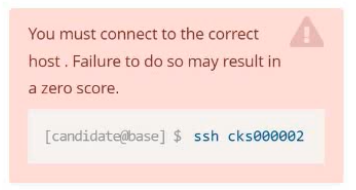
1) SSH to the right node
ssh cks000002
sudo -i
2) Fix kubelet CIS findings
2.1 Edit kubelet config (MAIN place in kubeadm clusters)
vi /var/lib/kubelet/config.yaml
A) Set anonymous-auth to false
Find (or add) this block exactly:
authentication:
anonymous:
enabled: false
B) Use Webhook authentication (recommended by task)
Ensure this exists under authentication:
webhook:
enabled: true
C) Use Webhook authorization and NOT AlwaysAllow
Find (or add) this block exactly:
authorization:
mode: Webhook
When done, your file should contain something like this (exact structure to aim for):
authentication:
anonymous:
enabled: false
webhook:
enabled: true
x509:
clientCAFile: /etc/kubernetes/pki/ca.crt
authorization:
mode: Webhook
If x509: section isn't there, it's usually already present in kubeadm; don't panic. Only the task-required parts are: anonymous false + webhook enabled + authorization mode Webhook.
2.2 Restart kubelet (required for config.yaml changes)
systemctl daemon-reload
systemctl restart kubelet
systemctl status kubelet --no-pager
Quick confirm (optional but fast):
grep -nE 'anonymous|webhook|authorization|mode' /var/lib/kubelet/config.yaml
3) Fix etcd CIS finding: --client-cert-auth=true
3.1 Edit etcd static pod manifest (kubeadm path)
vi /etc/kubernetes/manifests/etcd.yaml
Find the container command: args that look like:
- command:
- etcd
- --something=...
Ensure this line exists exactly in the list:
- --client-cert-auth=true
Also ensure this is present (usually already is, but add if missing):
- --trusted-ca-file=/etc/kubernetes/pki/etcd/ca.crt
Example snippet (what you want the args area to include):
- command:
- etcd
- --client-cert-auth=true
- --trusted-ca-file=/etc/kubernetes/pki/etcd/ca.crt
3.2 Apply etcd change (auto-restart happens)
Just save the file. Kubelet will restart etcd automatically.
Watch it restart (pick one depending on runtime):
If Docker runtime (your task mentions Docker):
docker ps | grep etcd
If you don't see it briefly, wait 2--5 seconds and rerun:
docker ps | grep etcd
(Alternative if available)
crictl ps | grep etcd
4) Final quick validation (fast exam check)
Kubelet config check
grep -n 'enabled: false' -n /var/lib/kubelet/config.yaml | head
grep -n 'webhook' /var/lib/kubelet/config.yaml
grep -n 'authorization' /var/lib/kubelet/config.yaml
etcd arg check
grep -n 'client-cert-auth' /etc/kubernetes/manifests/etcd.yaml
SIMULATION
Create a PSP that will only allow the persistentvolumeclaim as the volume type in the namespace restricted.
Create a new PodSecurityPolicy named prevent-volume-policy which prevents the pods which is having different volumes mount apart from persistentvolumeclaim.
Create a new ServiceAccount named psp-sa in the namespace restricted.
Create a new ClusterRole named psp-role, which uses the newly created Pod Security Policy prevent-volume-policy
Create a new ClusterRoleBinding named psp-role-binding, which binds the created ClusterRole psp-role to the created SA psp-sa.
Hint:
Also, Check the Configuration is working or not by trying to Mount a Secret in the pod maifest, it should get failed.
POD Manifest:
apiVersion: v1
kind: Pod
metadata:
name:
spec:
containers:
- name:
image:
volumeMounts:
- name:
mountPath:
volumes:
- name:
secret:
secretName:
apiVersion: policy/v1beta1
kind: PodSecurityPolicy
metadata:
name: restricted
annotations:
seccomp.security.alpha.kubernetes.io/allowedProfileNames: 'docker/default,runtime/default'
apparmor.security.beta.kubernetes.io/allowedProfileNames: 'runtime/default'
seccomp.security.alpha.kubernetes.io/defaultProfileName: 'runtime/default'
apparmor.security.beta.kubernetes.io/defaultProfileName: 'runtime/default'
spec:
privileged: false
# Required to prevent escalations to root.
allowPrivilegeEscalation: false
# This is redundant with non-root + disallow privilege escalation,
# but we can provide it for defense in depth.
requiredDropCapabilities:
- ALL
# Allow core volume types.
volumes:
- 'configMap'
- 'emptyDir'
- 'projected'
- 'secret'
- 'downwardAPI'
# Assume that persistentVolumes set up by the cluster admin are safe to use.
- 'persistentVolumeClaim'
hostNetwork: false
hostIPC: false
hostPID: false
runAsUser:
# Require the container to run without root privileges.
rule: 'MustRunAsNonRoot'
seLinux:
# This policy assumes the nodes are using AppArmor rather than SELinux.
rule: 'RunAsAny'
supplementalGroups:
rule: 'MustRunAs'
ranges:
# Forbid adding the root group.
- min: 1
max: 65535
fsGroup:
rule: 'MustRunAs'
ranges:
# Forbid adding the root group.
- min: 1
max: 65535
readOnlyRootFilesystem: false
Get access to all 64 verified questions with detailed answers.
Unlock All CKS Questions