XK0-006 Exam Questions & Answers
CompTIA Linux+ V8 Exam • CompTIA
100% money-back guarantee
Sample XK0-006 Questions
Practice with real exam-style questions, each with the verified correct answer and explanation.
A Linux administrator needs to compare two files and provide the output in the following format:
2,3d1
< Line 2
< Line 3
4a3
Line 5
Which of the following commands should the administrator use to perform the task?
The correct answer is D. diff because the output format shown in the question is the standard output generated by the diff command in Linux. The diff utility is specifically designed to compare two files line by line and display the differences between them in a structured format. The notation such as 2,3d1 and 4a3 represents changes required to transform one file into another.
In this format, d indicates deletion, a indicates addition, and the numbers refer to line positions in each file. For example, 2,3d1 means lines 2 through 3 in the first file should be deleted to match the second file. The < symbol shows lines present in the first file, while the > symbol shows lines from the second file. This structured comparison output is essential for troubleshooting differences between configuration files, scripts, or logs.
Option A (comm) is incorrect because comm compares two sorted files and produces three-column output indicating unique and common lines, but it does not produce the detailed edit-style output shown in the question. Option B (awk) is incorrect because awk is a powerful text-processing tool used for pattern scanning and processing, not for direct file comparison in this format. Option C (file) is incorrect because it identifies the type of a file rather than comparing file contents.
Within Linux+ objectives, using diff is a fundamental troubleshooting skill, especially when identifying configuration drift, verifying file integrity, or analyzing differences between system states. It is commonly used by administrators to quickly pinpoint discrepancies and resolve issues efficiently.
A Linux administrator attempts to unmount the local filesystem /data in order to mount a new volume. However, the administrator receives the following error message:
umount: /data: target is busy
Which of the following commands should the administrator run to resolve the issue?
The correct answer is D. fuser -mk /data because it directly addresses the issue of a ''busy'' mount point by identifying and terminating processes that are currently using the filesystem. The error ''target is busy'' occurs when one or more processes are actively accessing files or directories within the mounted filesystem, preventing it from being safely unmounted.
The fuser command is specifically designed to identify processes that are using files, directories, or sockets. When used with the -m option, it checks all processes accessing the specified mount point. The -k option sends a signal (by default SIGKILL) to terminate those processes. This frees the filesystem, allowing the administrator to successfully run the umount command afterward.
Option A (tree -g /data) is incorrect because it only displays the directory structure and permissions; it does not identify or stop processes using the filesystem.
Option B (ls -ld /data) is incorrect because it shows directory metadata such as permissions and ownership, not active usage.
Option C (stat -f /data) is incorrect because it provides filesystem statistics but does not help identify or resolve active process locks.
From a Linux+ troubleshooting perspective, tools like fuser and lsof are essential for diagnosing resource contention issues. Properly resolving ''busy'' mount points ensures data integrity and prevents corruption when unmounting filesystems, making this a critical administrative skill.
SIMULATION
Joe, a user, has taken a position previously held by Ann. As a systems administrator, you
need to archive all the files from Ann's home directory and extract them into Joe's home
directory.
INSTRUCTIONS
Within each tab, click on an object to form the appropriate commands. Command objects may only be used once, but the spacebar _ object may be used multiple times. Not all objects will be used.
If at any time you would like to bring back the initial state of the simulation, please click the Reset All button.
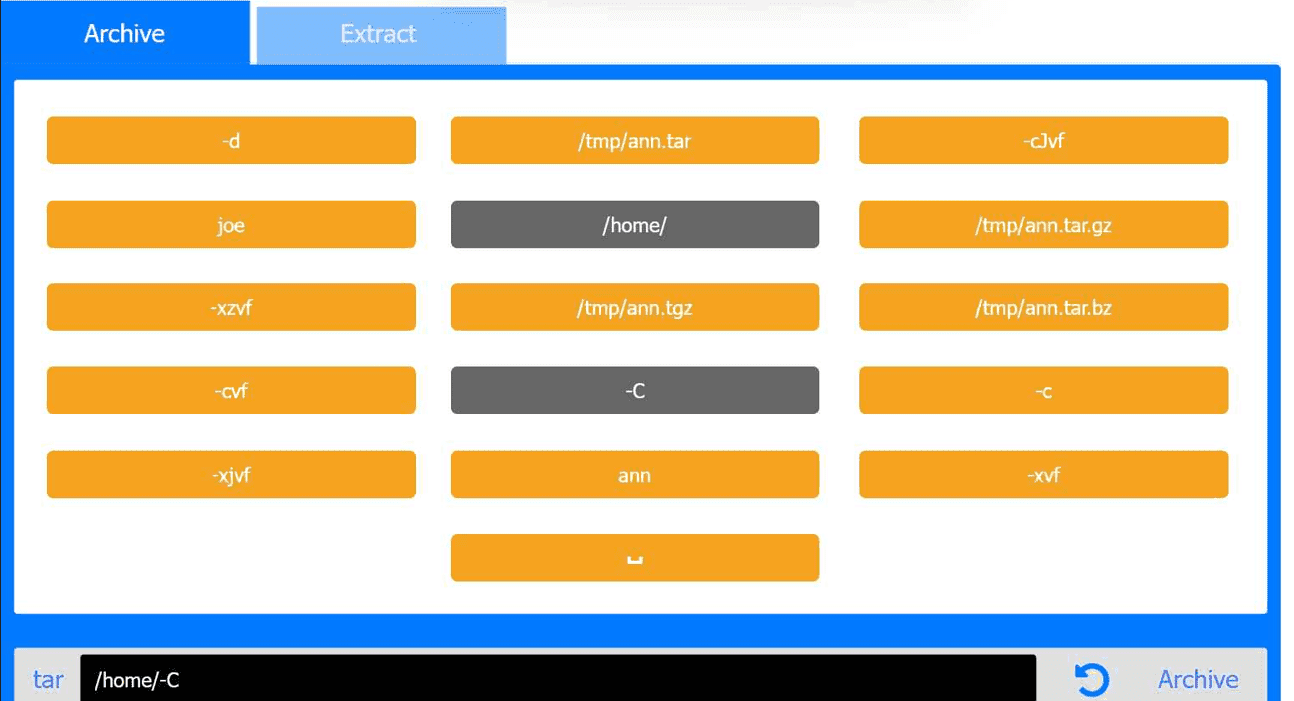
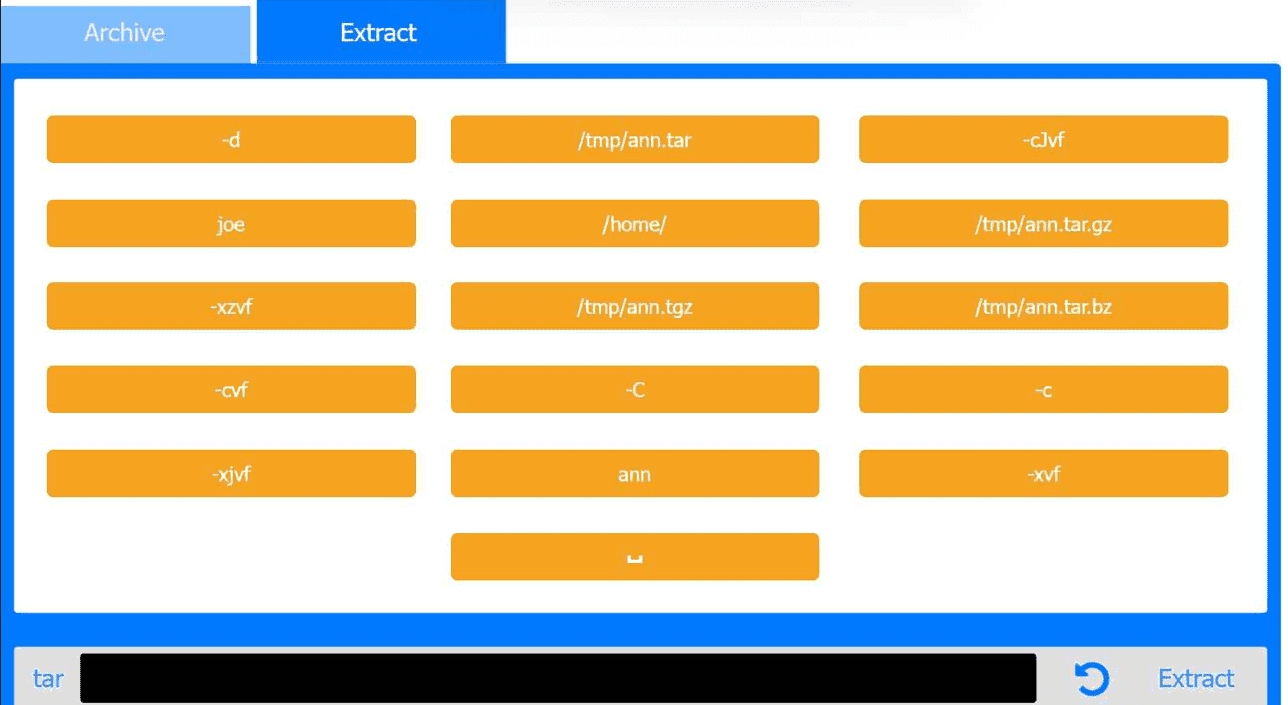
Archive Tab -- Create the archive from Ann's home directory
Correct Command:
tar -cvf /tmp/ann.tar -C /home/ ann
Extract Tab -- Extract the archive into Joe's home directory
Correct Command:
tar -xvf /tmp/ann.tar -C /home/ joe
This performance-based question tests file archiving and restoration using tar, a core System Management skill in the CompTIA Linux+ V8 objectives. The task requires preserving Ann's files and placing them correctly into Joe's home directory.
Archive Phase Explanation
The goal of the first step is to archive Ann's entire home directory without embedding the full path (/home/ann) inside the archive. This is accomplished using the -C option.
Command breakdown:
tar archive utility
-c create an archive
-v verbose output (optional but allowed)
-f /tmp/ann.tar specifies the archive file
-C /home/ changes directory before archiving
ann archives the ann directory only
This results in a clean archive containing Ann's files without absolute paths, which is best practice and explicitly covered in Linux+ V8 documentation.
Extract Phase Explanation
The second step extracts the archived files into Joe's home directory.
Command breakdown:
-x extract
-v verbose
-f /tmp/ann.tar specifies the archive
-C /home/joe extracts files directly into Joe's home directory
This ensures Joe receives Ann's files correctly under /home/joe/ann or directly under /home/joe depending on post-extraction handling, which matches Linux+ expectations for administrative user transitions.
A systems administrator is decommissioning a service. Which of the following commands should the administrator use to make sure users cannot start the service again?
The correct answer is A. systemctl mask service because masking a service ensures that it cannot be started manually or automatically under any circumstances. When a service is masked, its unit file is linked to /dev/null, effectively making it impossible for systemd to start the service. This is the most appropriate action when permanently decommissioning a service and ensuring that no user or process can restart it.
Option D (systemctl disable service) is a common distractor but is incorrect in this context. Disabling a service only prevents it from starting automatically at boot time; however, users with sufficient permissions can still manually start the service using systemctl start. Therefore, it does not fully meet the requirement of preventing the service from being started again.
Option B (systemctl kill service) is incorrect because it only terminates the currently running instance of the service. It does not prevent the service from being restarted later, either manually or automatically.
Option C (systemctl isolate service) is also incorrect. The isolate command is used to switch the system to a different target (similar to changing runlevels), not to manage the long-term availability of a specific service.
In Linux system administration, particularly within the Linux+ objectives, understanding the difference between stop, disable, and mask is critical. While stopping halts a service temporarily and disabling prevents automatic startup, masking is the strongest control, ensuring the service cannot be activated at all. This makes it the correct and secure choice when decommissioning services in production environments.
A Linux user runs the following command:
nohup ping comptia.com &
Which of the following commands should the user execute to attach the process to the current terminal?
In Linux system management, controlling processes and job execution is a fundamental skill covered extensively in the CompTIA Linux+ V8 objectives. The command shown combines two important concepts: nohup and background execution using &.
The nohup command is used to run a process immune to hangup signals, meaning the process continues running even after the user logs out or the terminal session ends. By default, nohup detaches the process from the controlling terminal and redirects standard output and standard error to a file named nohup.out. When the ampersand (&) is appended, the process is immediately placed into the background, allowing the shell prompt to return without waiting for the command to finish.
Linux provides job control mechanisms that allow users to manage background and foreground processes within a shell session. The fg command is specifically designed to bring a background job into the foreground and reattach it to the current terminal. Once a job is in the foreground, it can receive input from the terminal and display output directly, and it can also be interrupted using signals such as Ctrl+C.
The other answer choices do not fulfill this requirement. The renice command is used to change the scheduling priority of a running process but does not affect terminal attachment. The jobs command only lists background and stopped jobs associated with the current shell and does not modify their execution state. The exec command replaces the current shell process with a new process, which is unrelated to resuming or attaching background jobs.
According to Linux+ V8 documentation and job control best practices, the correct command to attach a background process to the current terminal is fg. Therefore, option D is the correct answer.
Get access to all 149 verified questions with detailed answers.
Unlock All XK0-006 Questions