HPE7-A08 Exam Questions & Answers
HPE Network Switching Professional Exam • HP
100% money-back guarantee
Sample HPE7-A08 Questions
Practice with real exam-style questions, each with the verified correct answer and explanation.
What are valid NAE agent actions? (Select two)
Valid Network Analytics Engine (NAE) agent actions include:
Running CLI commands (Option A), allowing automated command execution for remediation or data collection.
Generating local system logs (Option C) for event tracking and audit purposes.
Other options:
Generating SNMP traps (B) and starting/stopping packet captures (D) are not typical NAE actions.
Creating a new TAC case (E) is an external process, not an automated NAE action.
ArubaOS-CX Network Analytics Engine User Guide
HPE Aruba Automation and Monitoring Documentation
Aruba NAE Capabilities and Features Whitepaper
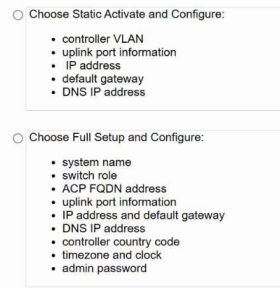
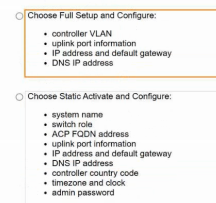
You are deploying a new AOS-10 mobility gateway cluster. Due to customer requirements, the gateways must be configured with static IP addresses and are restricted from communicating using port 443 to any URLs except for *. central.arubanetworks.com.
How would you onboard these gateways successfully into HPE Aruba Networking Central?
An Aruba CX B100 VSX has the following state for LACP:
2024-06-08T19:48:34.713434+03:00 VSX1 lacpd[837]: Event|1321|LOG_INFO|AMM|1/1|LAG 253 State change for interface 1/1/25:3: Actor state: ALFNCD, Partner state: ASFNCD
2024-06-06T19:48:34.675496+03:00 VSX1 lacpd[837]: Event|1308|LOG_INFO|AMM|1/1|LACP rate set to slow for LAG 253
What can be observed based on the output?
The LACP state event Actor state: ALFNCD, Partner state: ASFNCD indicates that the LACP negotiation between the local (actor) and peer (partner) is successful with all flags matching and no errors.
ALFNCD and ASFNCD are standard LACP states indicating Active, Long timeout, Aggregation capable, Not synchronized, Collecting, and Distributing flags set as expected.
Also, the log shows the LACP rate is set to slow, which is the default.
Thus, the output shows the LAG 253 has a matching LACP configuration with its peer.
ArubaOS-CX LACP Debugging and Logs Guide
IEEE 802.3ad Link Aggregation Control Protocol Specification
Aruba VSX LAG Best Practices Documentation
You are remotely connected to an HPE Aruba Networking CX 6200F switch using SSH to change the Control Plane ACL, allowing only defined subnets to access the switch. Which AOS-CX command allows you to roll back your change if the ACL change is wrongly formed and you can no longer log in to the switch?
When making changes remotely to critical configurations such as Control Plane ACLs on a CX switch, to protect against accidental lockout due to misconfiguration, you should enable checkpoint auto before committing the changes.
Checkpoint auto creates an automatic rollback timer. If the administrator loses connectivity (e.g., because of the ACL change), the system automatically rolls back the change after the timer expires, preventing lockout.
checkpoint commit is used after committing to save the checkpoint explicitly, but it does not provide automatic rollback.
Running checkpoint auto before committing is essential to have the rollback safety net.
ArubaOS-CX Configuration Rollback and Checkpoint Documentation
Aruba CLI User Guide -- Checkpoint Commands
HPE Aruba Best Practices for Remote Configuration
A customer is reviewing HPE Aruba Networking Central's Client Insights and notices that several wireless clients are not displaying flow attributes and network activity in the profile tab. This deployment is using AOS-10 mobility gateways.
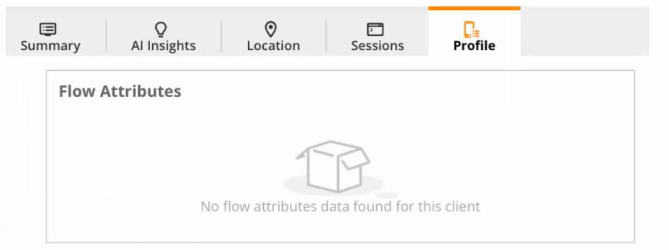
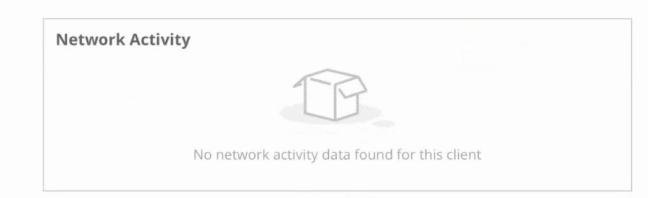
What are the possible reasons why this data is not visible in HPE Aruba Networking Central? (Select two)
Get access to all 162 verified questions with detailed answers.
Unlock All HPE7-A08 Questions