FCP_FMG_AD-7.6 Exam Questions & Answers
Fortinet NSE 5 - FortiManager 7.6 Administrator • Fortinet
100% money-back guarantee
Sample FCP_FMG_AD-7.6 Questions
Practice with real exam-style questions, each with the verified correct answer and explanation.
Refer to the exhibit.

Which two statements about the output are true? (Choose two.)
The output shows dev-db: not modified; conf: in sync, which means the device-level database is aligned with the latest revision history, so A is false. The study guide explains that ''Synchronized / Auto-update: The latest revision history configuration entry ... is aligned with the configuration on FortiGate,'' and dev-db: not modified indicates the device-level settings are not changed on FortiManager.
For the policy layer, the output shows pkg:[imported]BR1-FGT-1. The study guide states ''Imported: indicates that a policy package was successfully imported for a managed device,'' so the policy package in FortiManager matches what was imported from the managed device context, making C correct.
D is also correct because the lab guide explicitly says ''All Provisioning Templates applied on FortiGate devices have precedence over any configuration you apply on the device layer of the FortiManager.''
While attempting to push a NetFlow configuration script through the FortiManager policy package: an administrator encounters an error stating that an object is unrecognized in line 4.

What must the administrator do to successfully apply the NetFlow configuration script and avoid the object unrecognized error?
The correct answer is B. The error occurs because the script is being run on the policy package database, but the failing command is config sys interface, which is a device-level configuration command, not a policy-layer command. The lab guide gives the exact relationship: ''Because the scripts target the device database, first, you will run the scripts against the device database, and then install the scripts on the managed devices'' and ''The scripts contain configuration changes related to device-level settings.''
By contrast, the lab guide shows Policy Package or ADOM Database scripts being used for firewall objects and policies in a policy package.
So this NetFlow script must be run on the device database, then installed. The issue is not VDOM permissions, metadata variables, or normalized interfaces.
FortiGate is integrated with FortiAnalyzer and FortiManager.
When creating a firewall policy, which attribute must an administrator include to enhance functionality and enable log recording on FortiAnalyzer and FortiManager?
The correct answer is C. The uploaded FortiManager 7.6 Administrator Lab Guide gives the exact extract: ''FortiManager will update the universally unique identifiers (UUID) without deleting other configurations'' and ''UUIDs on both FortiGate and FortiManager are critical for ensuring the unique identification, consistency, and correct management of firewall policies across multiple devices and configurations. They provide a reliable and immutable reference for policies.''
The same source also shows administrators enabling UUIDs in Traffic Log on FortiGate log settings, which supports the logging and policy-correlation use case with FortiAnalyzer/FortiManager.
So the attribute that improves policy identification and logging correlation is the Universally Unique Identifier, not Policy ID, Log ID, or Sequence ID.
Refer to the exhibits.
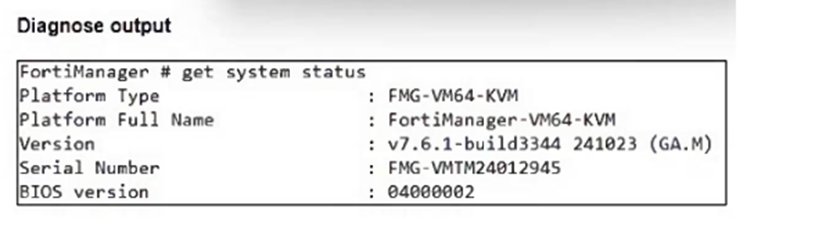
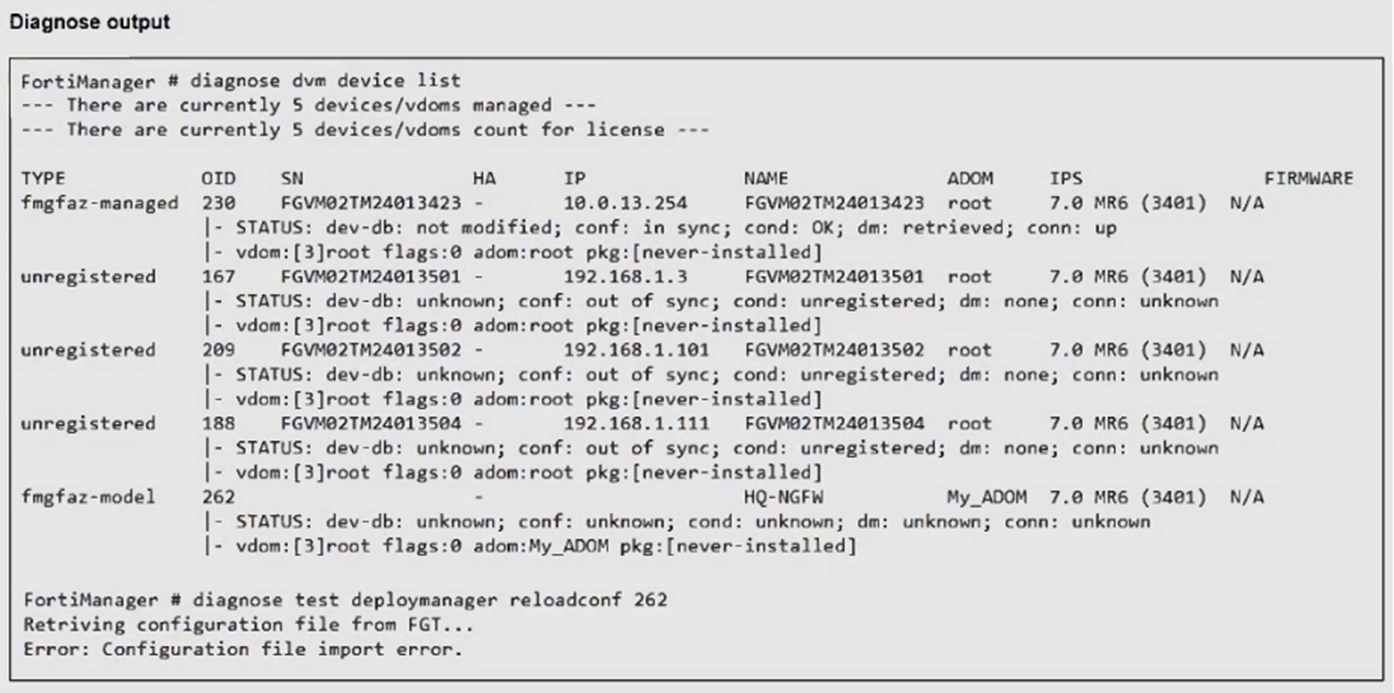
An administrator runs the reload failure command diagnose test deploymanager reloadconf 262 on FortiManager.
Why does the administrator receive an error message?
The error occurs because the FortiGate HQ-NGFW device with ID 262 is a newly added model device and has not yet been fully synchronized or installed with a configuration package, which causes the reload configuration command to fail.
You want to let multiple administrators work in the same ADOM without creating configuration conflicts.
What is the best and the most effective solution to apply?
Activating workspace mode in the ADOM settings allows multiple administrators to work concurrently in the same ADOM by isolating their configuration changes in separate workspaces, preventing conflicts and enabling effective collaboration.
Get access to all 65 verified questions with detailed answers.
Unlock All FCP_FMG_AD-7.6 Questions